Run a full stack
App, database and twins together, for browser and end-to-end work.
This page is executed as written by packages/cli/src/journeys/tutorials.test.ts; the recording
is made from the same run.

A world can own more than twins. Your app itself, a real local Postgres, a Redis: anything the
app needs running is a service in world.json, brought up and torn down together, with each
service's connection details in the env the next service sees.
The app
A server whose /signup creates a Stripe customer the way production code would, and an
end-to-end script that drives the server, not the twin.
{ "name": "acme-web", "private": true, "dependencies": { "stripe": "^17" } }
STRIPE_SECRET_KEY=
import { createServer } from 'node:http';
import Stripe from 'stripe';

const stripe = new Stripe(process.env.STRIPE_SECRET_KEY);

createServer(async (req, res) => {
  if (req.url === '/health') { res.end('ok'); return; }
  if (req.url === '/signup') {
    const customer = await stripe.customers.create({ email: 'ada@example.com', name: 'Ada' });
    res.setHeader('content-type', 'application/json');
    res.end(JSON.stringify({ customerId: customer.id }));
    return;
  }
  res.statusCode = 404; res.end('not found');
}).listen(Number(process.env.PORT), '127.0.0.1');
const res = await fetch(`${process.env.APP_URL}/signup`);
const body = await res.json();
if (!/^cus_/.test(body.customerId)) { console.error(body); process.exit(1); }
console.log(`signed up ${body.customerId}`);
npm install
npm install -g @volter/world
npm install -D @volter/twin-stripe
volter world init
The app as a service
init wrote the stripe twin into .volter/world.json. Add the app as a process service:
what to run, the env name its URL is exported under, and how the world knows it is ready.
{
  "id": "acme-web",
  "env": { "STRIPE_SECRET_KEY": "twin-fake-stripe-secret-key" },
  "services": [
    { "id": "stripe", "type": "twin", "package": "@volter/twin-stripe", "port": "auto", "injectEnv": "STRIPE_TWIN_URL" },
    { "id": "app", "type": "process", "command": "node", "args": ["server.mjs"], "port": "auto",
      "injectEnv": "APP_URL", "portArg": false, "rootArg": false, "ready": { "httpUrl": "${url}/health" } }
  ]
}
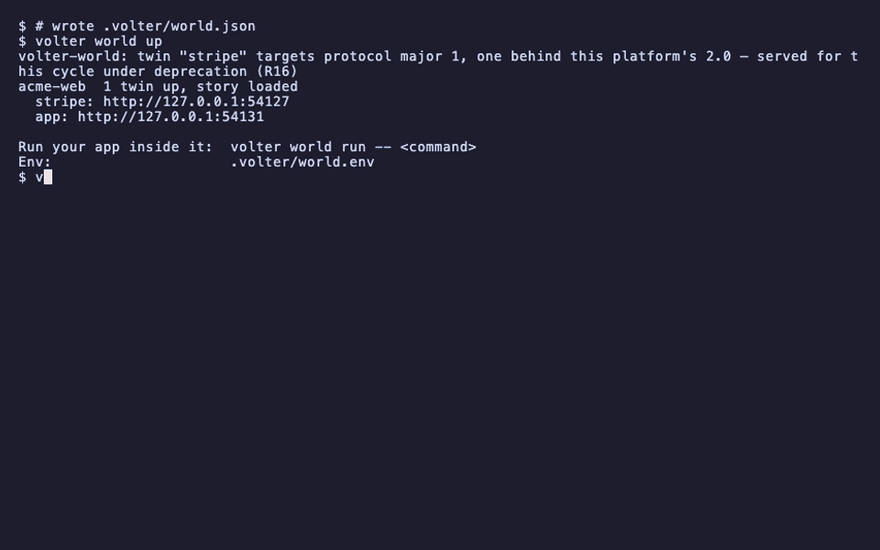
Services start in order, and each one receives the env the earlier ones produced, so the app
starts after its twin and inherits STRIPE_TWIN_URL. With a readiness probe, up waits until
the app answers, not merely until it binds.
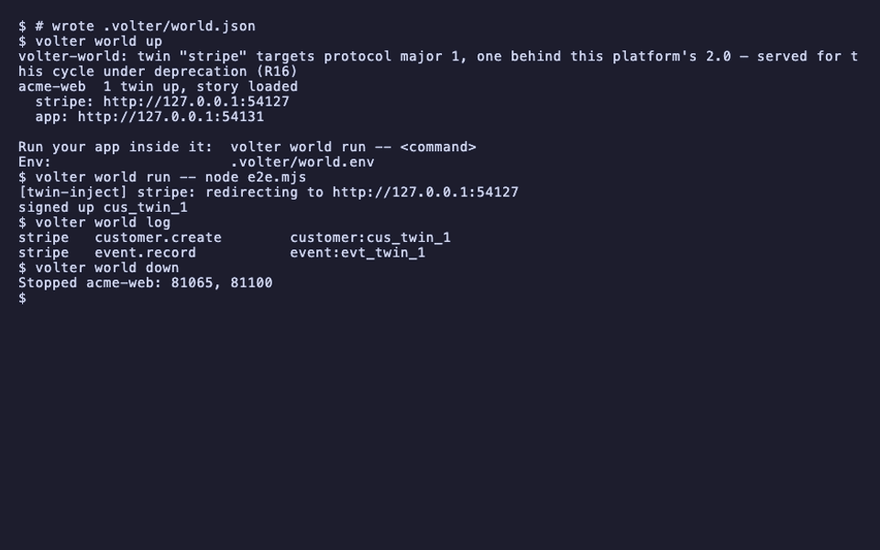
volter world up
acme-web  1 twin up, story loaded
  stripe: http://127.0.0.1:56314
  app: http://127.0.0.1:56320
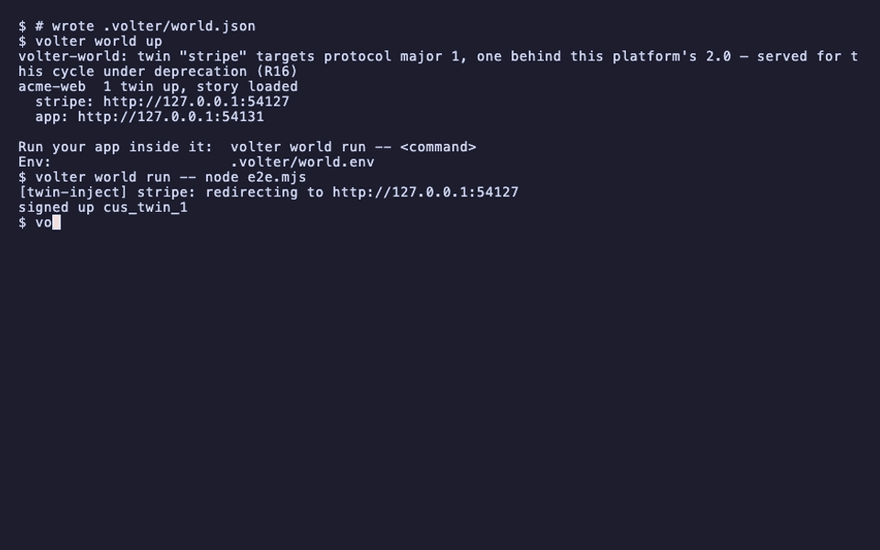
Drive the app end to end
volter world run -- node e2e.mjs
signed up cus_twin_1
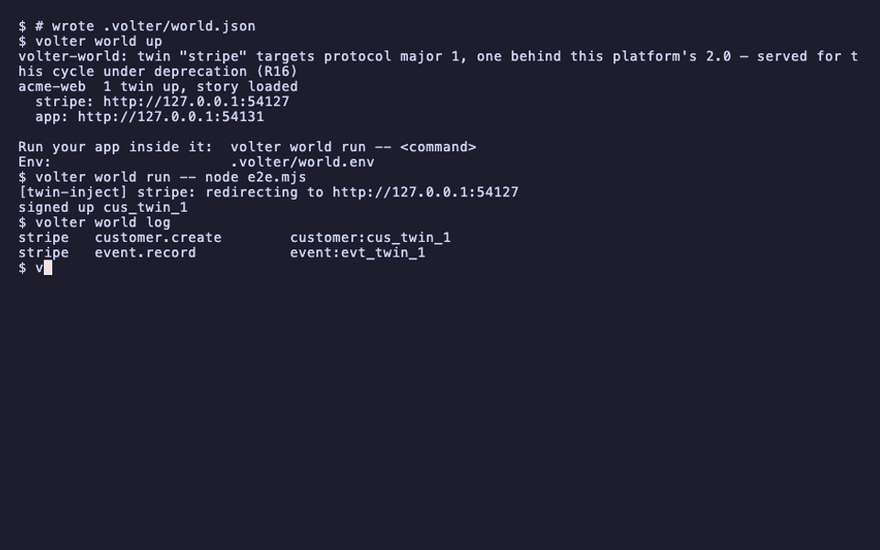
The script talked only to the app. The app talked to Stripe, and the write is in the log:
volter world log
stripe customer.create customer:cus_twin_1
volter world down
A real database
A real local tool is an external service: the world runs its up, status and down, waits
for it to be ready, and reads its connection details into the env:
{
  "id": "db", "type": "external",
  "external": {
    "up":     ["./dev/db", "up"],
    "status": ["./dev/db", "status", "--json"],
    "down":   ["./dev/db", "down"],
    "readyWhen": { "command": "./dev/db", "args": ["ready"] },
    "discover": [{ "as": "DATABASE_URL", "jsonPath": "url" }]
  }
}
volter world init emits this shape for a Postgres, MySQL, Redis or MongoDB it detects in your env
names, with a definition the world manages. The world serves a Redis without a container: the redis twin speaks
Redis's own protocol on the declared port, so ioredis, node-redis and BullMQ connect unmodified, and
its keys are the world's state, branched and reset with it. A Postgres or a MongoDB runs in a container, or,
where there is no container runtime, through PGlite and the MongoDB twin (MongoDB's wire protocol over the
world's state). Twins that are backed by real infrastructure do the same inside
their own package: the supabase twin runs the real local Supabase stack for the data plane and
twins only the management API.
With no container runtime, the world serves that Postgres without one: real Postgres compiled to WASM (PGlite) behind a wire-protocol listener on the same port, with the same env. MongoDB is served the same way by the MongoDB twin, its data kept with the world's. Redis and MySQL have no containerless form and are refused by name. What the containerless MongoDB does and does not do:
- A standalone MongoDB 7.0. The
mongodbdriver and mongoose connect unchanged: CRUD with cursors, the common query and update operators, upserts, an aggregation subset, and unique indexes that answerE11000. - No transactions. There is no replica set, so a transaction gets the standalone server's error: "Transaction numbers are only allowed on a replica set member or mongos".
- No authentication. The injected URL carries no credentials; a URL with credentials fails.
- Not yet built.
$textsearch,explain,$out/$merge, change streams, schema validation and non-simple collations are refused by name. The package's README lists the full coverage.
What the containerless Postgres does and does not do:
- Extensions. Every contrib extension PGlite ships and pgvector are available, so migrations'
CREATE EXTENSION IF NOT EXISTS pgcrypto | citext | "uuid-ossp" | unaccent | pg_trgm | btree_gist | hstore | ltree | fuzzystrmatch | vector | …work. Others (postgis, pg_cron, timescaledb) fail with Postgres's "is not available" error. - One database. Any database name in
DATABASE_URLconnects, but all names are the onepostgresdatabase (current_database()says so).CREATE DATABASEalways fails: for the database your connection named it answers42P04("already exists", which is true, sorails db:createproceeds), and for any other name0A000(not supported). Nothing can make a second, separate database, so a Prisma shadow database (prisma migrate dev) or a test runner'stest_<name>database needs a container runtime;prisma migrate deploydoes not. - No bulk load over COPY.
COPY … FROM STDIN(psql \copy,pg_restoredata, copy streams) is refused with0A000; load rows withINSERT.COPY … TO STDOUTworks. - One serialized session. Connections take turns, and an open transaction blocks the others
until it ends. They share one session:
SET, temp tables and prepared statements leak between connections, session advisory locks do not exclude each other, andLISTEN/NOTIFYdoes not reach across connections.
Browser tests
The browser is not a Node process, so the injector does not reach it. Two ways in:
- Server-side calls. Most apps call vendors from the server. The server runs inside the world and is redirected; the browser talks only to your app, as the end-to-end script above did.
- Browser-side calls. Put the browser proxy shipped with the kernel in front of the app, so
the browser's SDK calls share the same twins:
bun packages/world-core/src/proxy.ts --target http://localhost:3000 --map stripe=$STRIPE_TWIN_URL --route stripe=/v1/ --loader-host stripe=https://api.stripe.com.
Then run the browser suite inside the world: volter world run -- npx playwright test.
What is real here
Real crypto where it matters: the clerk twin issues real RS256 tokens against a real JWKS, the supabase twin's data plane runs real Postgres with real row-level security, the S3 twin verifies real SigV4 signatures. Auth, permissions and signing paths are genuinely exercised. Generative twins return labeled deterministic stubs; assert on the plumbing, not the prose.
Runnable examples
The cookbook holds complete stacks you can copy, each a single bun run cookbook/<name>/run.ts:
| example | services | proves |
|---|---|---|
secret-free-ai-chat |
Clerk + Anthropic | real token verification, then an AI call |
ai-support-agent |
Anthropic + Jira + Slack | AI triage → Jira issue → Slack alert |
openai-agent |
OpenAI + Stripe | a function-calling loop into a real Stripe lookup |
saas-ai-supabase |
Clerk + OpenAI + Supabase | auth → Postgres RLS + pgvector + storage |
Playback
Each command above, as the recording shows it.
npm install
npm install -g @volter/world
npm install -D @volter/twin-stripe
volter world init

volter world up
volter world run -- node e2e.mjs
volter world log
volter world down