Volter WorldTwins of 12 services
A repeatable world for your app and agents
Run the services your app calls locally, with their real SDKs. A World groups the stateful twins you select: supply known data, script failures, inspect what changed, then reset or branch their state to repeat your workflow.
Local Worlds are free. No platform account, credit card or real vendor key is needed for this tutorial.
npm install -g @volter/worldthenreview your app’s vendorsorask your coding agent
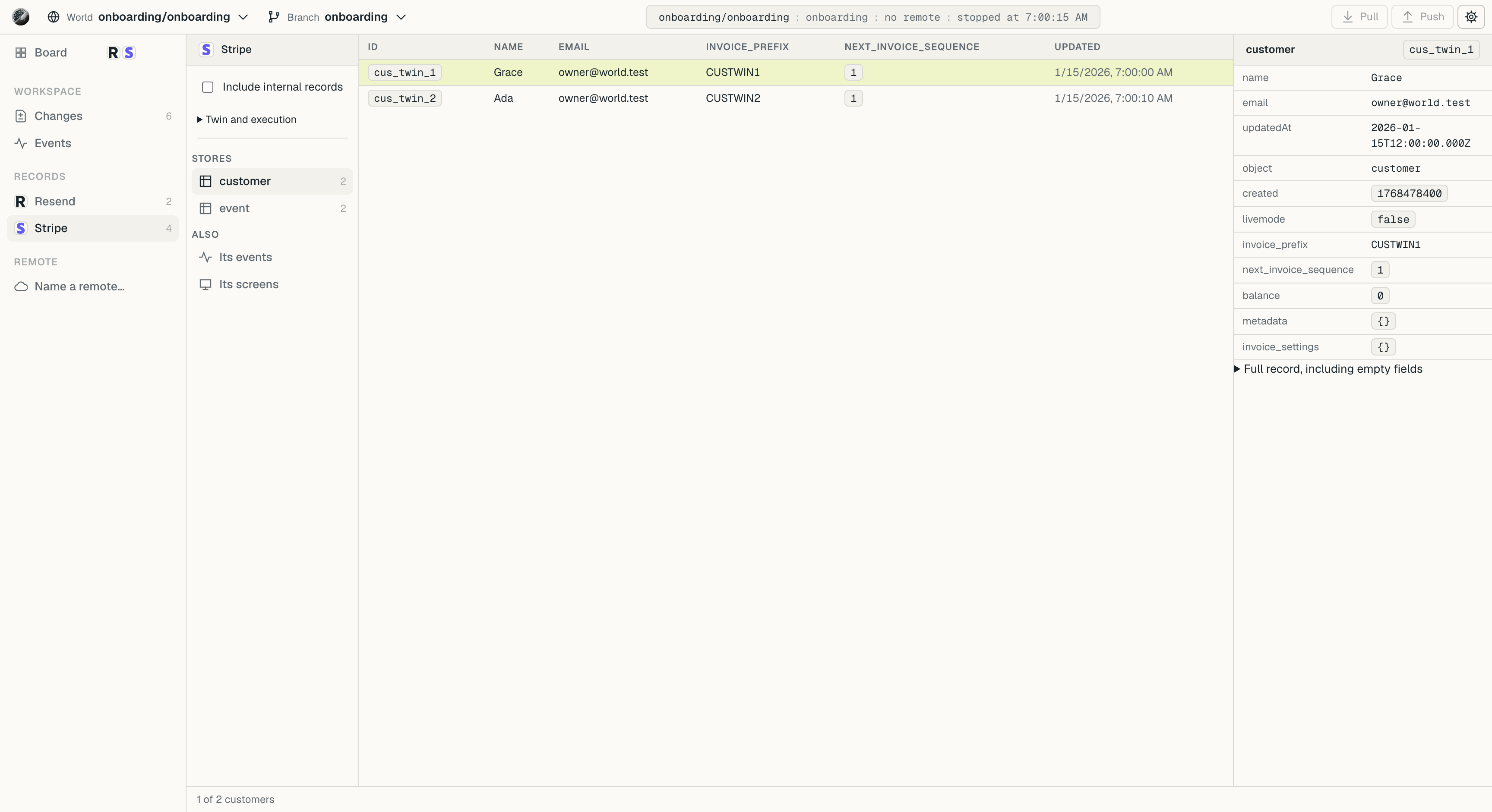
volter world view opens their stored records.12services with published twins
Browse implementations and measured coverage
Start with your task
What do you want to do with a World?
Try it locally
Create a record with a real SDK, read it back, inspect the log, then reset and repeat.
Your first World Try a complete onboarding appBring your app
Select the vendors to substitute and the releases that serve your workflow.
Set up your app Use your coding agent Give an agent a workplaceDevelop and test
Supply data and failures, control time, and run the app or its browser tests.
Shape a test App and browser work Repeat a demoRepeat with a team
Join a shared World, or run a repeatable workflow in CI.
Join your team Use in CI Combine worker changes01Unchanged
Keep the SDKs your app already uses.
Keep the vendor SDKs and the code that calls them. Node routing redirects configured vendors to their twins when the app starts inside the World.
Other clients use their supported proxy or endpoint setup. Choose implementations for the operations your app needs.
Getting startedimport Stripe from 'stripe'
const stripe = new Stripe(process.env.STRIPE_SECRET_KEY)
await stripe.customers.create({ email })$ node signup.mjsapi.stripe.com
$ volter world run -- node signup.mjsStripe's twin
02A glass box
See what your app changed.
Read the records your app creates, inspect their fields and follow the writes in the World's log. The workplace example links a GitHub issue to a Linear ticket and Slack update.
The dashboard also opens the vendor screens a release declares. Screen availability and API coverage are separate.
Inspect a World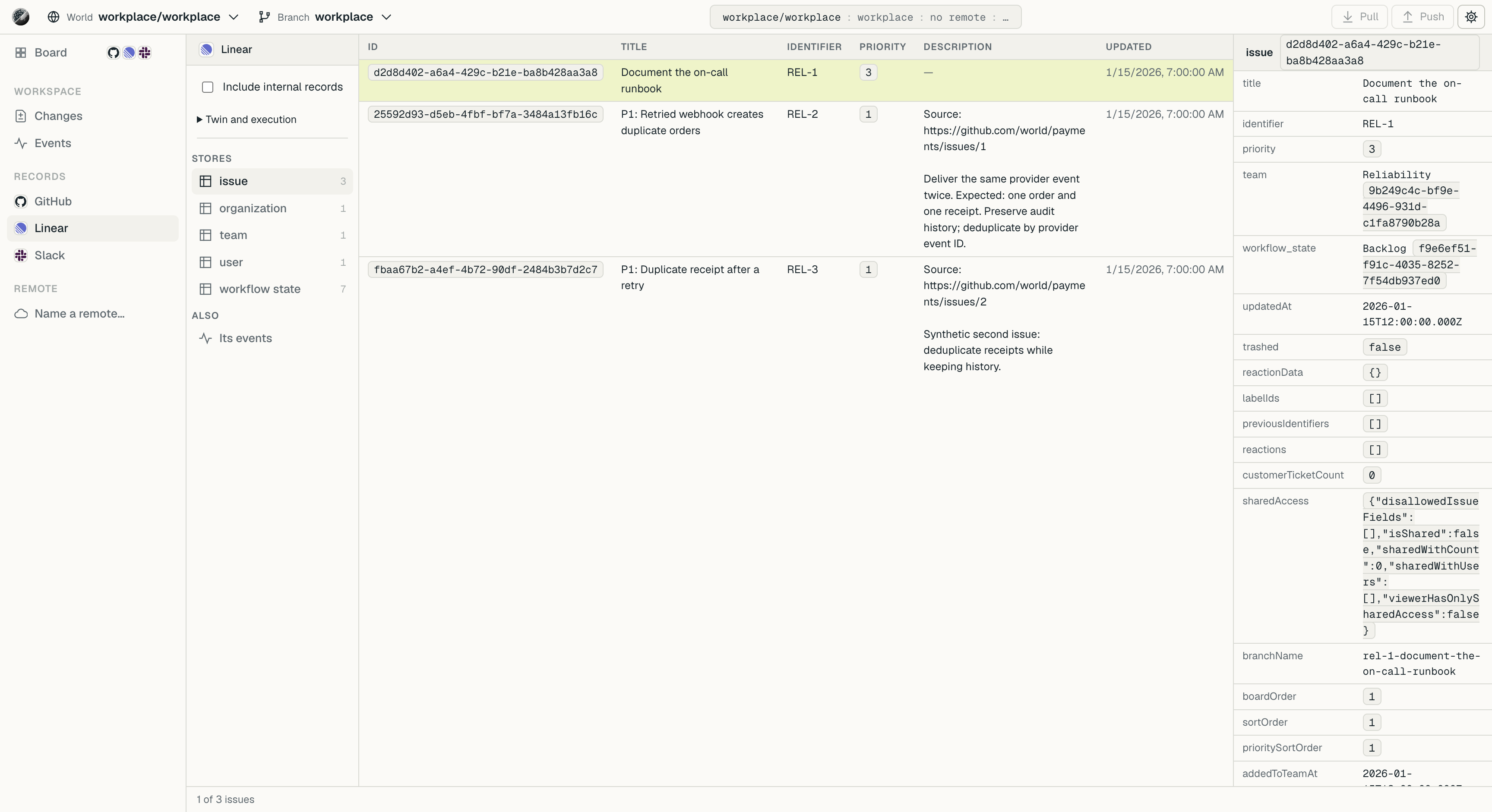
03Branches
Branch it like a database.
Stored app writes appear in the World's log. Branch at any moment, look at the World as it was, reset to a known state, and push what you made to a World your team shares.
The same idea as Neon's branches, across the services you select.
The model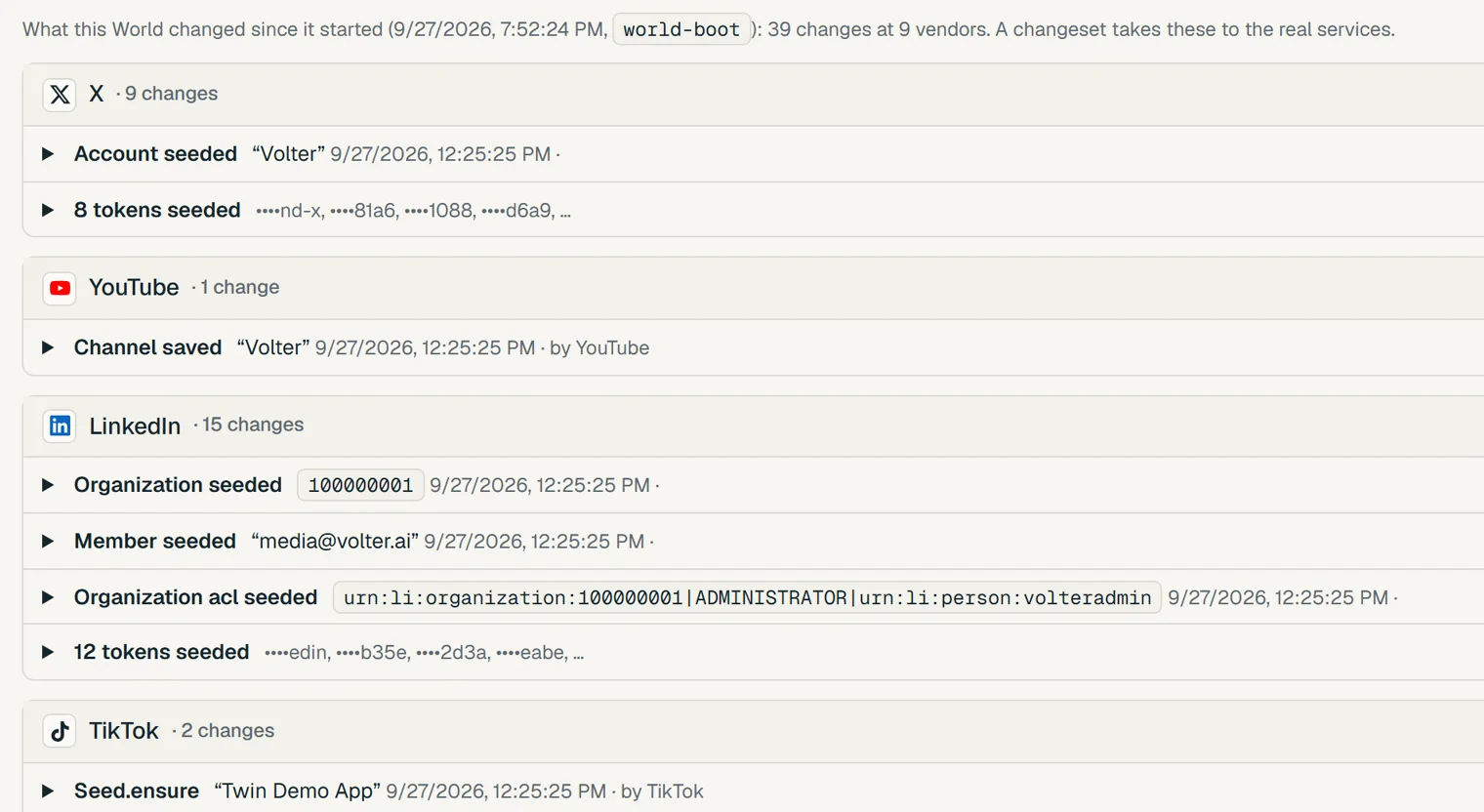
04On purpose
Real when you mean it.
Local simulated execution answers configured vendor calls through twins. A shared World can connect to a real-system root and deploy changes under that root's policy, with receipts. The worked example uses a gated policy with checks and approval.
Deploy from a shared Worldissues.create“Launch checklist”
The changeset in the deploy guide, step by step.
05How it works
From your app to a repeatable World.
- 1
Make a World
In your app's folder: review detected vendors and choose which ones this workflow substitutes.
Set up your existing app - 2
Start it
Each vendor's twin comes up, with the state your story seeds.
volter world up - 3
Run your app in it
Your usual command, inside the World.
volter world run -- npm test - 4
Look
Read the log and stored data, or open the dashboard with its available vendor screens.
Inspect your World
Set up Volter World for the workflow I want to run in this app. Select only the vendors that workflow deliberately substitutes with local twins. Keep the app's real SDKs.

1. Keep the app's pinned World tools if present, running `./node_modules/.bin/volter` from the app folder after installing its locked dependencies. A missing local binary stops without fetching another package. Otherwise install the command: `npm install -g @volter/world`. Install the agent tooling with `volter agents install --yes`.
2. Read the app's manifests, env names and any .volter/world.json. Show me the likely vendors and why, before keeping them. Preserve a saved World and its state; do not initialize it again to resume. For a new World, choose the exact catalog releases and initialize only the selected vendors with `volter world init --twins <selected-vendors> --source <vendor>=<package>`.
3. Start it: `volter world up`, then run my usual app command inside it: `volter world run -- <the app command>`. Use throwaway credentials. Diagnose a failure as routing, data, scenario, unsupported operation or runtime; preserve the refusal's evidence rather than bypassing it.
4. Tell me what the app did at each vendor (`volter world log`), and give me the dashboard link (`volter world view --no-open`, started in the background: it keeps running).

The guide: https://world.volter.ai/docs/guides/use-with-a-coding-agent.mdvolter agents install gives it the tools; the guide shows the rest.$ ./node_modules/.bin/volter world up
acme-web 1 twin up, story loaded
$ ./node_modules/.bin/volter world run -- node signup.mjs
created cus_twin_1
customer read-back passed
$ ./node_modules/.bin/volter world log
customer.create
event.record06Where it runs
On your laptop or your server.
Your machine
A World for one person. No account, nothing to sign in to.
volter world viewGetting started Your server
Many Worlds under one address, each with its own keys. Add the platform for orgs, members and sign-in through your Okta, Entra or Google Workspace. Free and open source.
volter-host serveHost Worlds for a team Self-host the platform 08Questions
What people ask first.
Does it send webhooks?
A twin sends the callbacks declared by its implementation to the endpoints your app registers. The signed-webhook tutorial shows a complete Stripe example: register the receiver, verify the signature, reject an invalid signature and assert the application result. Check the selected release’s measured journeys for other vendors and event types.
Why use it alongside a vendor's test mode?
A World groups the vendors you select into one local workflow with known data, scripted failures and branches. You can repeat that workflow on your machine or in separate CI Worlds. Check each twin's coverage; a vendor's own test mode remains useful for behavior that the selected twin does not model.
Is a twin a mock?
A twin is a stateful API implementation. For supported operations, a created record is visible on the next read through the real SDK. Scenarios can script lookups, model replies and faults; they never fake a successful stored write. Read the release's supported operations and limits before depending on it.
Does my code change?
Your app keeps its real vendor SDKs. Node clients run with injected routing through volter world run. Python, native tools and clients that ignore that routing may need their supported proxy, CA or endpoint configuration; the client-routing guide covers those cases.
How complete is a twin?
Compare the release's supported operations, gaps and measured journeys in the catalog. Check the operations your app uses with its real SDK; coverage explains what each measurement means.
Can a World reach the real vendor?
Simulated execution answers selected vendor calls locally. Sandbox mode refuses untwinned destinations in cooperating clients; it is not network isolation for every program. A shared real-system root can perform vendor writes under its deployment policy. See the routing boundary.
Where does my data live?
On your machine, or on your own server. The World, the host and the twins are open source and run where you run them; none of it sends your app's data to Volter.
Give your app a World.
Create a customer with the real SDK, read it back, then reset and repeat. No platform account needed.